Home › Blog › Emerging Tech & IT Trends
What Is Cloud Computing? Benefits and How to Execute a Strategy
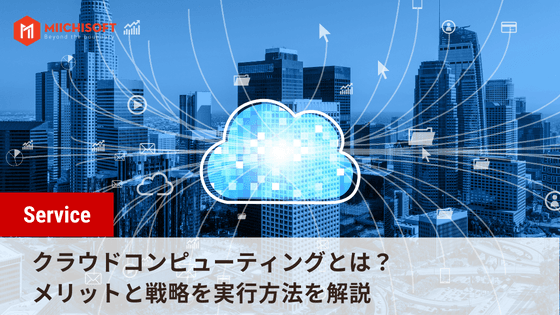
Cloud computing has become the ideal way to deliver enterprise applications, as well as a solution for companies looking to scale their infrastructure or launch new innovations.
In this article, we introduce what cloud computing is and the benefits of using it.
Table of Contents
- 1. What Is Cloud Computing
- 2. History of Cloud Computing
- 3. Main Types of Cloud Services
- 4. Benefits of Cloud Computing
- 5. Disadvantages of Cloud Computing
- 6. Executing a Cloud Strategy
- 7. Frequently Asked Questions about Cloud Computing (FAQ)
1. What Is Cloud Computing

Cloud computing means delivering computing services such as servers, storage, databases, networking, software, analytics, and intelligence over the internet ("the cloud") to offer faster innovation, flexible resources, and economies of scale.
2. History of Cloud Computing
The term "cloud computing" emerged in the early 2000s, but the concept of computing as a service has existed for far longer.
These "time-sharing" services were largely overtaken by the rise of the PC, which made owning a computer far more affordable, and later by the rise of data centers that let companies store enormous volumes of data.
Still, the concept of renting access to computing power resurfaced repeatedly through application service providers, utility computing, and grid computing from the late 1990s through the early 2000s. Cloud computing then emerged and truly took hold with the rise of Software as a Service and hyperscale cloud computing providers such as Amazon Web Services.
3. Main Types of Cloud Services
Cloud computing comes in several types designed to solve different problems. Broadly speaking, there are three main types.
- IaaS (Infrastructure as a Service): Infrastructure as a Service
The official definition of IaaS is as follows. IaaS (Infrastructure as a Service) provides computing, memory, storage, networking, and related software such as operating systems and databases as a cloud service, replacing the infrastructure of a traditional on-premises data center.
Put simply, IaaS is essentially a virtual server that customers rent from another company that owns the data center. In essence, IaaS promotes access over ownership.
This solution lets end users flexibly host custom-built applications or standard software, while also providing a general-purpose data center for storage.
IaaS can be deployed under any of the three service models defined by the U.S. National Institute of Standards and Technology (NIST).
- PaaS (Platform as a Service): Platform as a Service
PaaS stands for Platform as a Service Provider, an online platform that lets individuals and companies develop, manage, and optimize applications without purchasing the underlying infrastructure.
Customers can deploy PaaS under any of the three cloud deployment models defined by the U.S. National Institute of Standards and Technology (NIST) below.
SaaS is a software deployment model in which a third-party provider builds applications on cloud infrastructure and makes them available to customers over the internet.
As a result, rather than simply installing software on a local machine as in the traditional model, users can access it from any device with an internet connection and a web browser.
Customers can deploy SaaS under any of the three distinct models defined by the U.S. National Institute of Standards and Technology (NIST).
4. Benefits of Cloud Computing
4.1 Low Cost
Low cost is often cited as one of the main draws of cloud-based services, and in many cases this is true. Companies considering an investment in SaaS (Software as a Service) can reduce costs and expect a high return, since the standard pay-as-you-go model means they never pay for what they don't use.
For infrastructure, things can get a bit more complex depending on your business requirements. PaaS (Platform as a Service) and IaaS (Infrastructure as a Service) can be cost-effective for many large enterprises with more comprehensive needs, and can help them avoid expensive software, licensing, and installation costs.
On the other hand, for small and medium-sized businesses, this can end up costing more than simply setting up a local server. That's why cloud-based SaaS solutions tend to be a better fit for small and medium-sized businesses.
4.2 Flexibility and Scalability
Cloud-based applications and services can be purchased on demand and are billed on a pay-as-you-go basis, so companies are never locked into an expensive investment that may later stop serving its purpose.
Using a cloud provider instead of a local server brings a business considerable flexibility. As business demand changes, cloud services can respond and accommodate the increased usage and activity that comes with business growth.
What's more, cloud computing offers significant scalability, and it can scale in both directions. If your needs change significantly throughout the year, you can reflect that in your cloud computing spend. For example, you only need to pay for the data storage you need at a given time.
4.3 Data Management
The average cost of a data breach is said to be around £3.12 million, making it one of the biggest concerns for any business.
If you store all your critical data locally, losing it to a hardware failure, human error, or a cyberattack can put you in a genuinely difficult position. Cloud-based servers centralize all of your data and make it easily accessible from any internet-connected device.
For this reason, cloud computing is now widely used for data storage in general, not just as a backup solution for keeping data safe. Keeping backups offsite and disconnected from the network means that even in the event of a ransomware attack, the malware cannot reach your backup data.
4.4 More Effective Collaboration
Cloud computing services are extremely effective for facilitating collaboration. Because all files and documents are stored in a single location, team members can view and edit the same information. Revisions and updates are also tracked, giving everyone a clear picture of what's happening and avoiding confusion over multiple versions of the same file.
With cloud services, you can collaborate not only with in-house teams but also with customers, partners, and suppliers through fully encrypted, end-to-end secure channels.
5. Disadvantages of Cloud Computing
5.1 Security and Privacy
Companies moving to the cloud worry about the security of their sensitive corporate and customer data. What can we say when as many as 66% of IT professionals consider security a major barrier to cloud adoption?
However, public cloud providers invest far more in security than any single company or government agency could. Microsoft, for example, invests $1 billion a year in cybersecurity for its Azure Cloud platform and successfully defends against 7 trillion cyber threats a day.
Amazon and Google likewise invest heavily to keep individual and corporate data secure. In other words, moving to the cloud doesn't weaken security — it strengthens it.
5.2 Vendor Lock-in
Vendor lock-in remains a major concern for many companies. Business owners worry that moving all of their systems to the cloud will tie their company to a single vendor. This is an important issue, especially given that cloud service costs are steadily falling worldwide.
Amazon founder Jeff Bezos established what's known as "Bezos' Law," which states that cloud computing costs are cut in half roughly every 18 months.
Adopting a multi-cloud solution is one effective way to address this issue. By hosting your systems across multiple cloud platforms, you make it easier to migrate between service providers.
5.3 ROI
Cost concerns can be broken down into a few areas: "adoption," "structure," and "ROI." We won't dwell here on the cost of adopting cloud technology, since that applies to the adoption of any technology.
What differs is the cost structure across the lifecycle of these solutions. On-premises technology typically requires a one-time up-front investment, while the SaaS model is based on recurring costs. That's not necessarily a drawback — it's simply something to plan for.
That said, the "hidden" costs associated with on-premises technology — maintenance and upgrades, for example — disappear in the cloud. Eliminating capital costs means cloud computing tends to be cheaper in the long run.
ROI depends on how you build your cloud strategy and whether there's a strong business case behind that decision. But if there is, the ROI on your cloud investment will become very real.
6. Executing a Cloud Strategy
6.1 Conduct an Assessment
At this stage, you assess the impact of executing your strategy across three areas: cost, architecture, and safety. It's important to get expert help with the assessment. If the results show that your business can move to the cloud without difficulty, move on to the next step.
6.2 Proof of Concept
In this phase, you develop a cloud strategy within your organization and pilot it. Roll it out to your team gradually and build support within the team.
6.3 Data Migration
Use the available storage options to find the most secure option within your budget. Once you've confirmed your data is in good shape, migrate it to the cloud.
6.4 Application Migration
For application migration, you need to choose the migration approach your organization needs to adapt to. This might be a strategy of moving everything to a cloud server, or a hybrid approach where some functions move to the cloud while others remain on your organization's servers.
6.5 Leverage the Cloud
In this phase, you use the tools the cloud framework provides to automatically scale functionality. Cloud servers offer high elasticity and scalability, and you should use them to maximize the benefit to your organization.
6.6 Optimization
At this stage, you tune and optimize your systems to make the best use of available resources, monitor performance to catch anomalies early, and redesign any parts of the cloud migration that aren't performing as expected.
Watch the video below to gain a deeper understanding of cloud computing and the differences and advantages of SaaS, PaaS, and IaaS.
7. Frequently Asked Questions about Cloud Computing (FAQ)
7.1. How Is Cloud Computing Technology Managed?
Cloud systems are managed by central servers. Their purpose is to manage traffic and client requests so that everything runs smoothly.These servers follow a set of rules called protocols and use a special kind of software called middleware. Middleware enables communication between computers connected to the network.
7.2. How Cloud Computing Works
To understand how the cloud works, it helps to think of it as two parts: the front end and the back end. These are connected to each other over a network (usually the internet). The front end is the side used by the computer user or client. The back end is the "cloud" part of the system.
7.3. Types of Cloud Computing
Cloud computing can mean many things, but there are three main categories of cloud services: Software as a Service (SaaS) like Microsoft 365, Platform as a Service (PaaS) like salesforce.com, and Infrastructure as a Service (IaaS) like Rackspace — you may have heard of these, or may already be using them.
Related Articles

AI News Flash | Google Integrates Gemini into Chrome
Top 3 Workflow Automation Platforms: Is n8n, Dify AI, or Make the Right Fit for Your Business?
AI News Flash | xAI Officially Unveils Its Most Powerful Multimodal Model, "Grok 4.0"
AI News Flash | Gemini AI's Android Integration Expands, Turned On by Default Regardless of User Settings
AI News Flash | ChatGPT Is Evolving From a "Q&A AI" Into a "Multifunctional Work Partner"